

What's Due: Bill Tracker
Never forget about your upcoming bills again.
Rated 4.8 out of 5 from 315 ratings on the App Store. Free to download, with an optional Premium upgrade.

Everything in one place
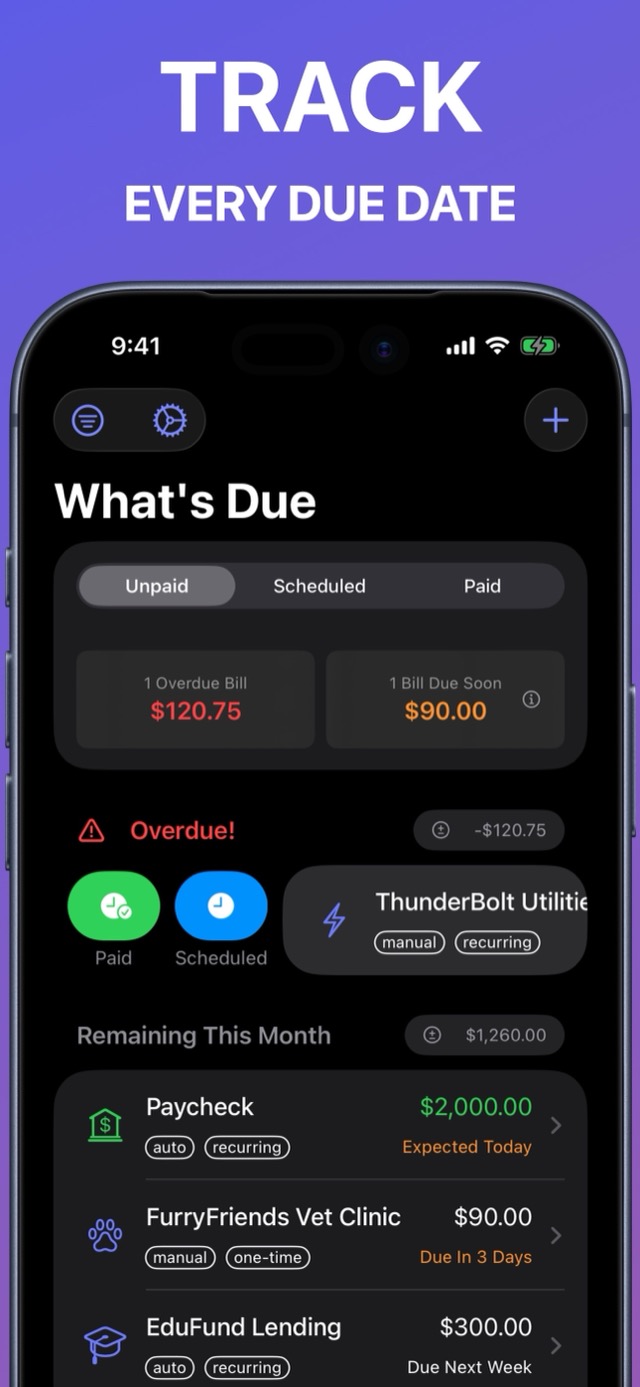
Tired of tracking bills in spreadsheets, or in a to-do app that was never designed for it? What's Due keeps your bills and income together, reminds you before anything is due, and stays out of your way.
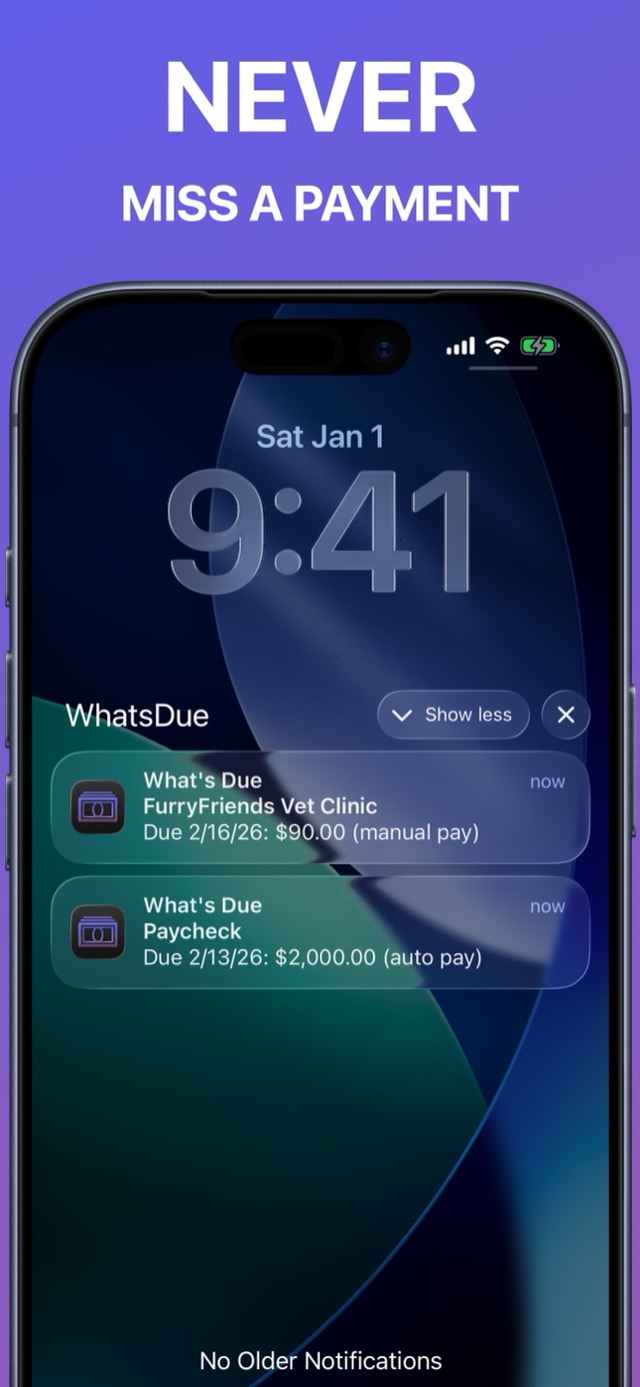
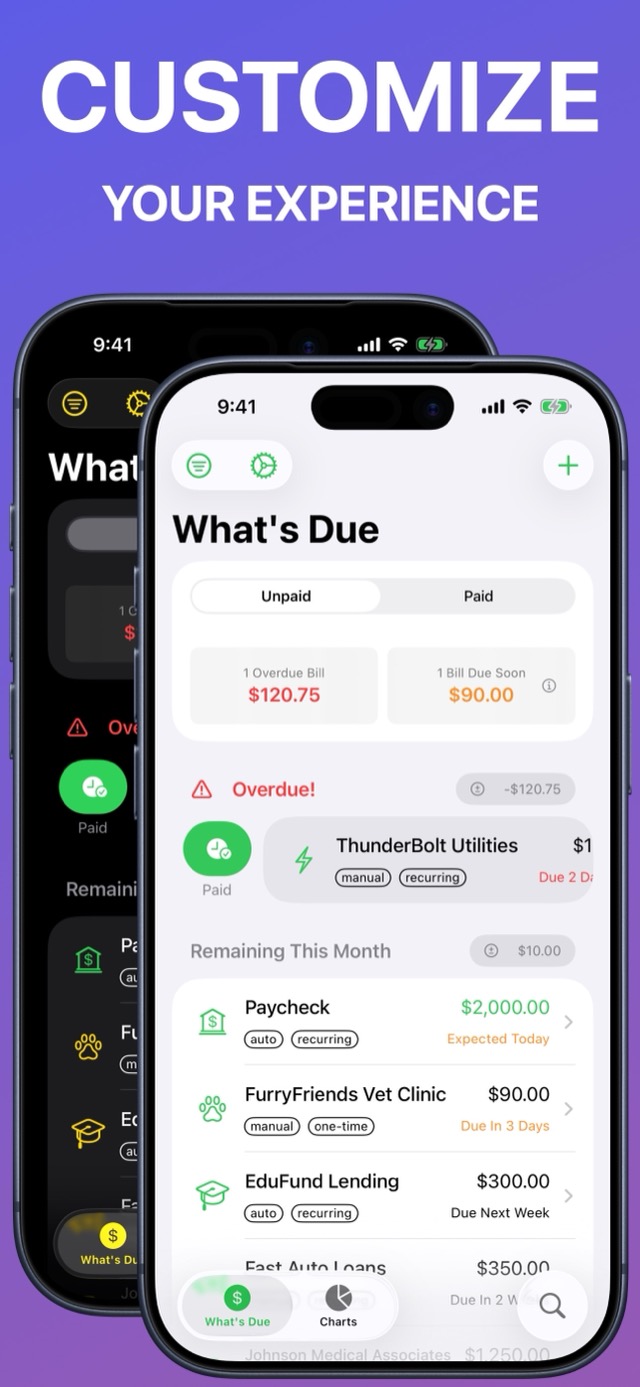
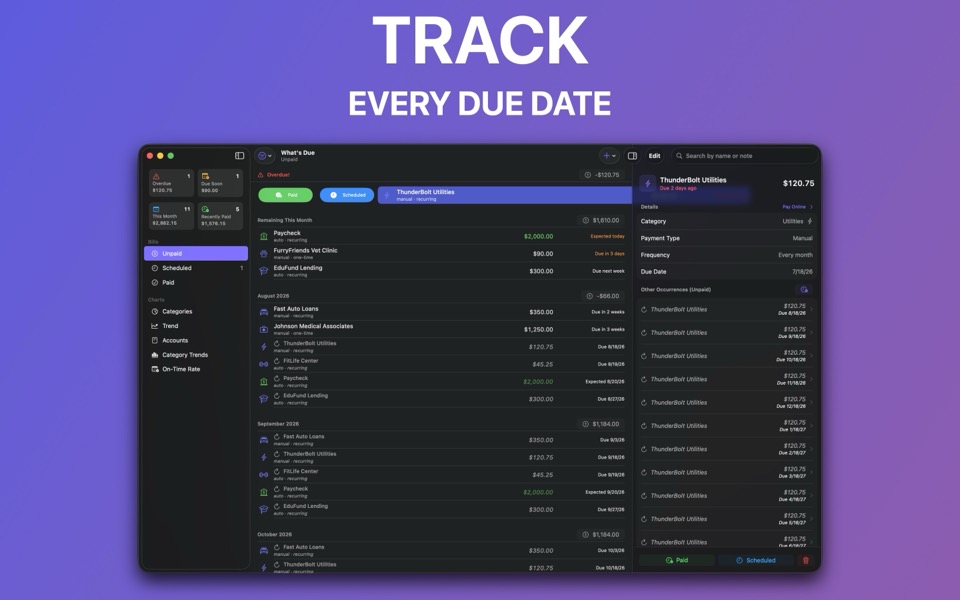
Bill reminders
Get notified before every due date, and mark a bill paid or snooze it right from the notification.
Calendar view
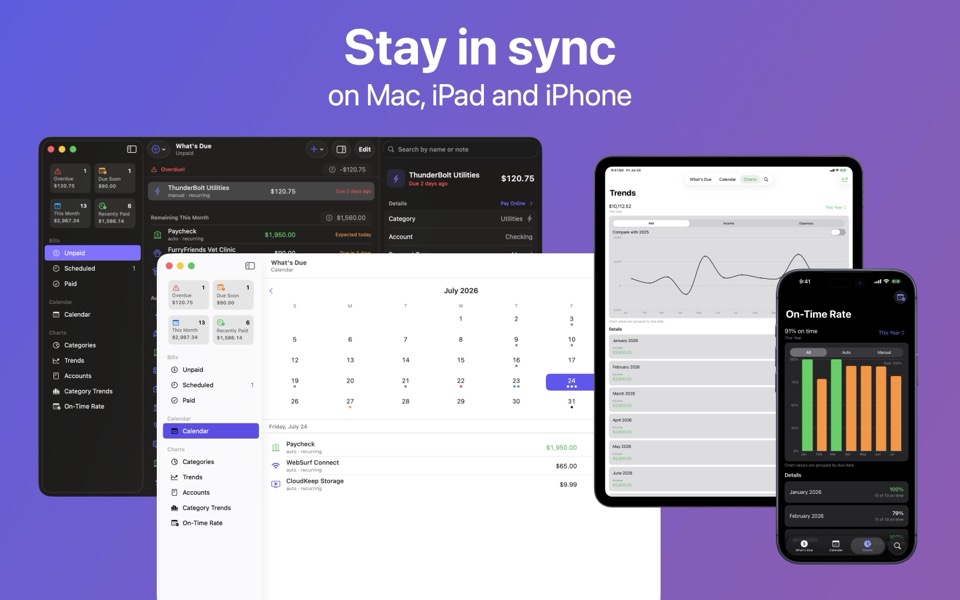
See your whole month at a glance, with each day's bills a tap away.
Income and bills together
See what's coming in and going out, projected up to a year ahead.
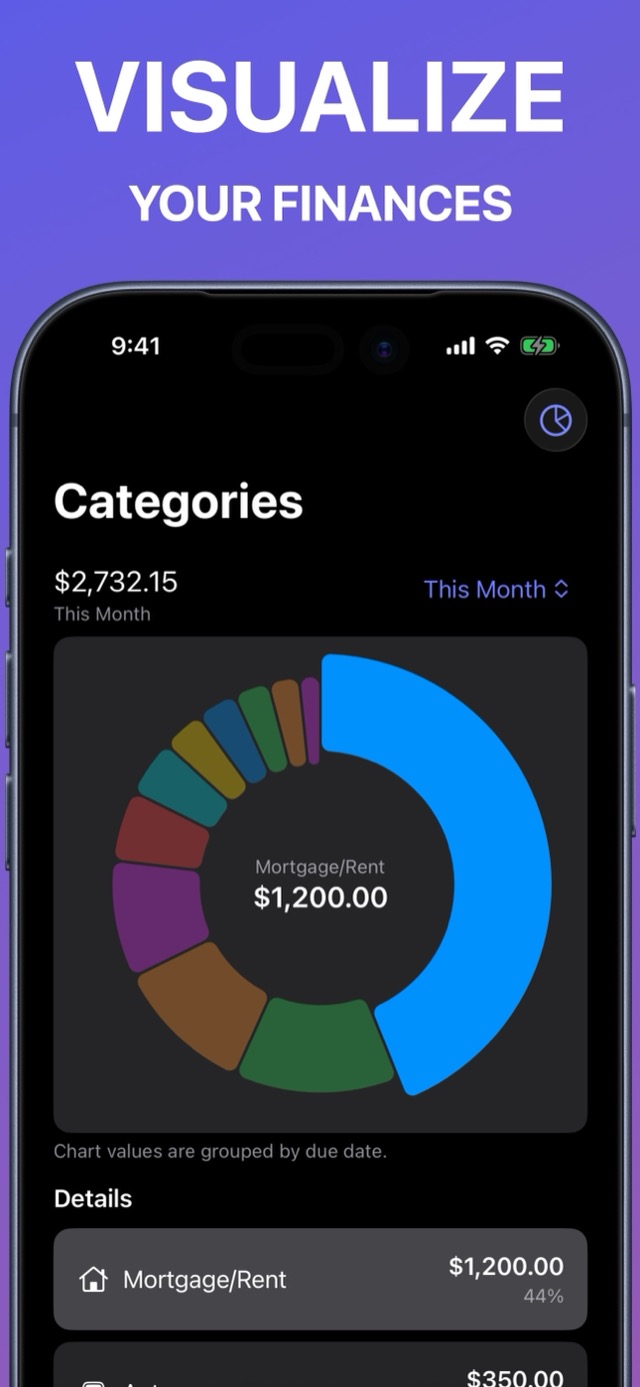
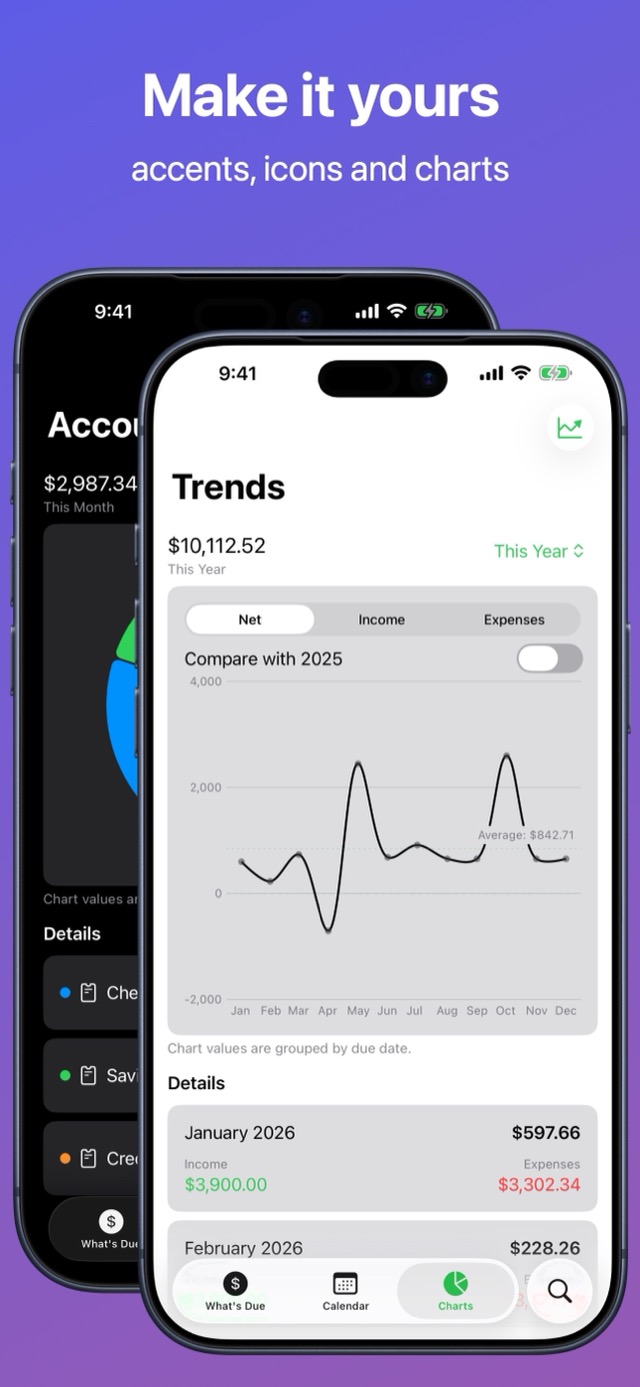
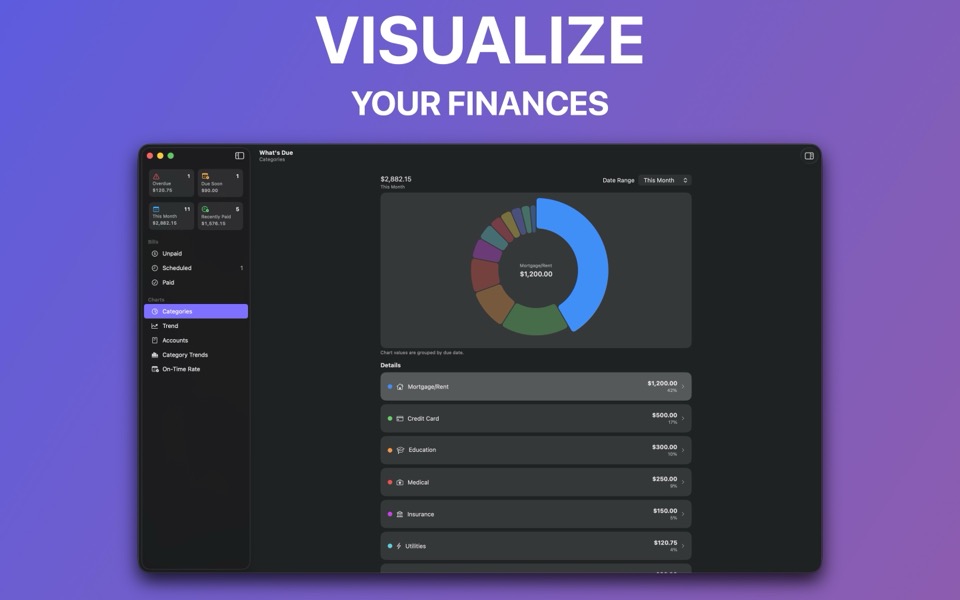
Charts and insights
Spot where the money goes, how spending trends, and how often you pay on time.
Everywhere you are
iCloud sync keeps everything current across iPhone, iPad, Mac, and Apple Vision Pro.
Private by design
No bank logins, no accounts, and Face ID or Touch ID to lock the app.
See it in action
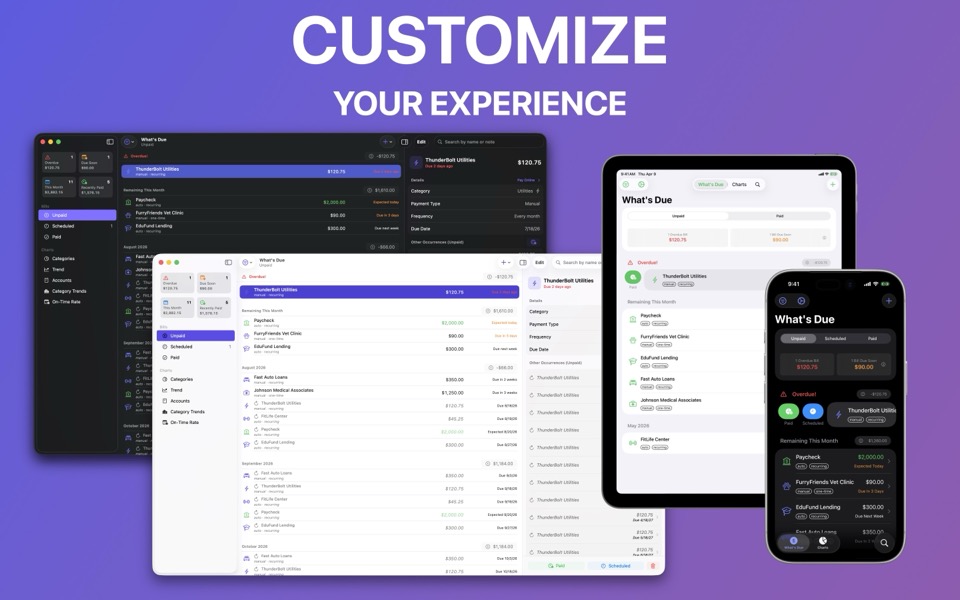
On your Mac
Your bills, income, and reminders stay in sync across iPhone, iPad, Mac, and Apple Vision Pro with iCloud.
What people are saying
★★★★★
Amazing game changer!
For someone who works on commission, gets paid every 2 weeks, and cannot commit to auto pay due to changing pay dates, this has been a game changer! I feel well organized and on top of all my financials now. It’s easy to use without having to do a full budget or link any accounts. I highly recommend it.
— Saraya01
★★★★★
Amazingly helpful and simple
Big fan here! I wanted something affordable that still met all my needs! Would love to see a feature that creates a visual graph of the monthly/annual total data but other than that it’s a great convienent app!
— iitsmiik
★★★★★
Simple and Effective
After downloading and deleting several bill and budgeting apps, I found this one and it’s exactly what I was looking for, simple and effective and only $10 a year.
— Mommychicken4
Go further with Premium
What's Due is free to use for up to 5 upcoming bills. Premium unlocks:
Unlimited income and bills
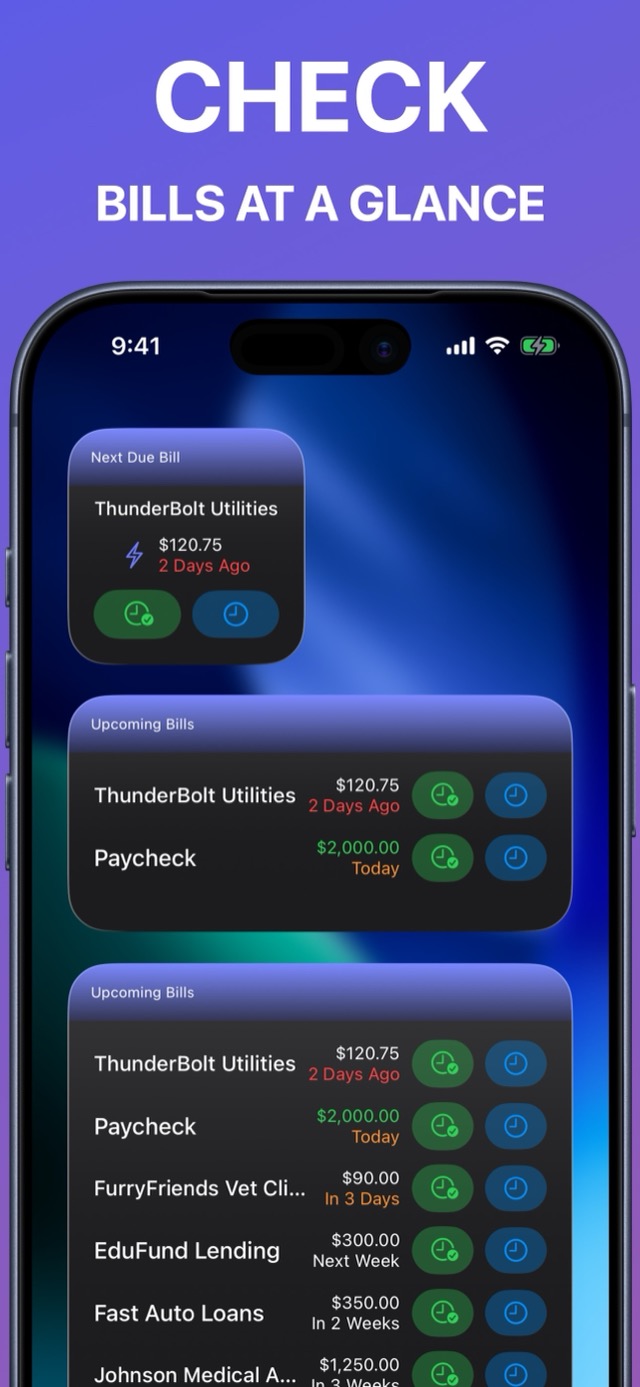
Home Screen widgets to see and update bills without opening the app
Five charts for fast financial insights: Categories, Trends, Accounts, Category Trends, and On-Time Rate
CSV import and export
Custom accent colors
Speaks your language
What's Due is available in English, German, Spanish, French, Italian, and Portuguese.
Frequently asked questions
No — and that's on purpose. There are no accounts to link and no bank credentials to hand over. You add your bills and income yourself, and your data stays in your own iCloud account.
There are no accounts in What's Due — no sign-ups, no passwords, no personal information collected. Everything you add lives on your device and in your own iCloud, private to you. That also means there's nothing on our end to delete: if you ever stop using the app, just delete your data in the app (or the app itself) and it's gone. We never had it in the first place.
The free version tracks up to 5 upcoming bills at a time — enough to try everything out. Premium unlocks unlimited bills and income.
Subscriptions are handled by Apple, not by us. On iPhone or iPad, go to Settings, tap your name, then Subscriptions. You can cancel anytime and keep Premium until the end of the paid period.
Yes. As long as your devices are signed in to the same Apple Account, iCloud keeps your bills, income, and reminders in sync across iPhone, iPad, Mac, and Apple Vision Pro automatically.
Yes — Premium includes CSV import and export, so you can bring in bills from a spreadsheet or keep a copy of your data outside the app.
Not yet — right now a bill can only be marked paid or scheduled in full. In the meantime, a workaround that many people use: add a note to the bill recording each payment you make, and if it helps, edit the bill's amount to reflect the remaining balance. Not ideal, but it works — and partial payments are on our radar for a future update.
Yes — it arrived in version 3.9.0, and it was one of the most-requested features we've ever had. It's a month grid that marks the days something is due, with that day's bills and income listed underneath when you tap a date. On iPhone, iPad, and Apple Vision Pro it's a tab of its own; on Mac it's in the sidebar and the View menu. It's included free — no Premium required.
Not currently — your bills sync privately between your own devices, and there's no way for two people to see the same list. True household sharing would require deep changes to how syncing works, so while it's on our radar, we can't promise if or when it will arrive. If it matters to you, tell us — hearing what people need genuinely shapes what gets built next.
We'd genuinely love to hear it — email us (this opens a pre-filled email) and we'll get back to you as soon as we can.